CLI Onboarding
Use create-gitcms to detect site structure, generate .gitcms config, and bootstrap single-site or monorepo repositories.
GitCMS includes an onboarding CLI (create-gitcms) that scans your repository and generates .gitcms configuration automatically.
It is useful when:
- You are setting up GitCMS for the first time.
- You have a monorepo with multiple sites.
- You want a repeatable, scriptable setup flow.
Quick start
Run from your repository root:
npm init gitcms@latestFor non-interactive setup (accept inferred defaults):
npx create-gitcms@latest --yes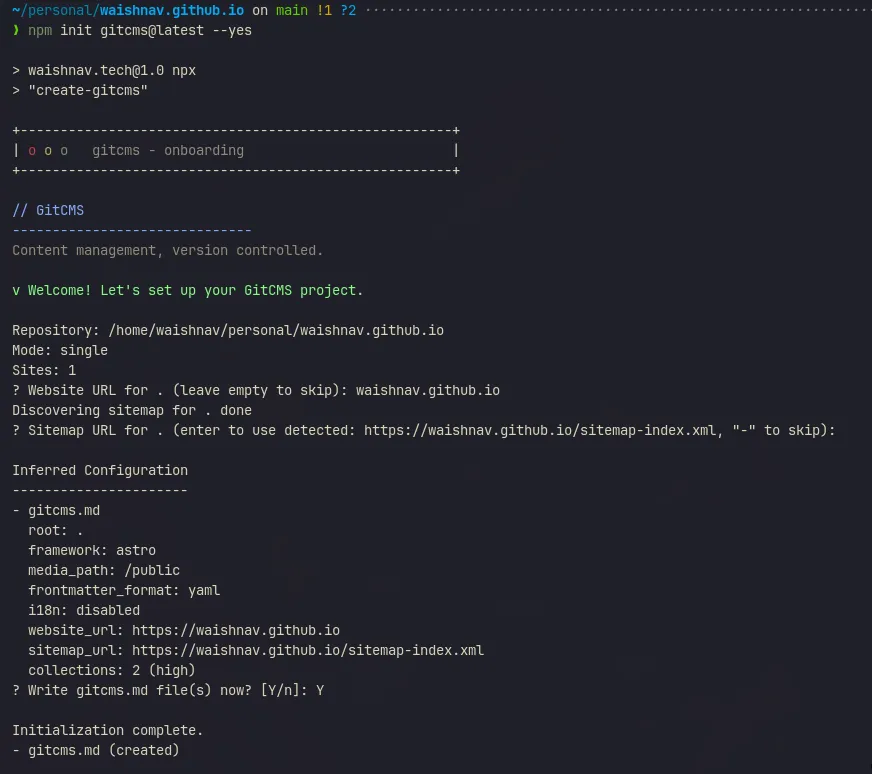
What the CLI infers
The CLI inspects your repository and infers:
- Site roots (single-site or monorepo)
- Framework defaults (repository media root, frontmatter format)
- Collections and content paths
- i18n hints from locale-folder patterns
Mode selection
--mode controls how site roots are resolved:
| Mode | Behavior |
|---|---|
auto (default) | Detects whether your repo looks like single-site or monorepo |
single | Forces a single site at repository root |
monorepo | Detects or uses explicit site roots |
Examples:
# Auto mode (default)
npm init gitcms@latest

# Force monorepo mode with explicit site roots
npx create-gitcms@latest --mode monorepo --site-root apps/docs --site-root apps/blog
Website URL mapping
Use --website-url to attach URLs during onboarding.
Supported forms:
- One global URL:
--website-url https://example.com - Ordered URLs (for multiple roots): repeat
--website-urlflags - Site-root mapping:
--website-url apps/docs=https://docs.example.com
Example:
npx create-gitcms@latest --mode monorepo \
  --site-root apps/docs \
  --site-root apps/blog \
  --website-url apps/docs=https://docs.example.com \
  --website-url apps/blog=https://blog.example.com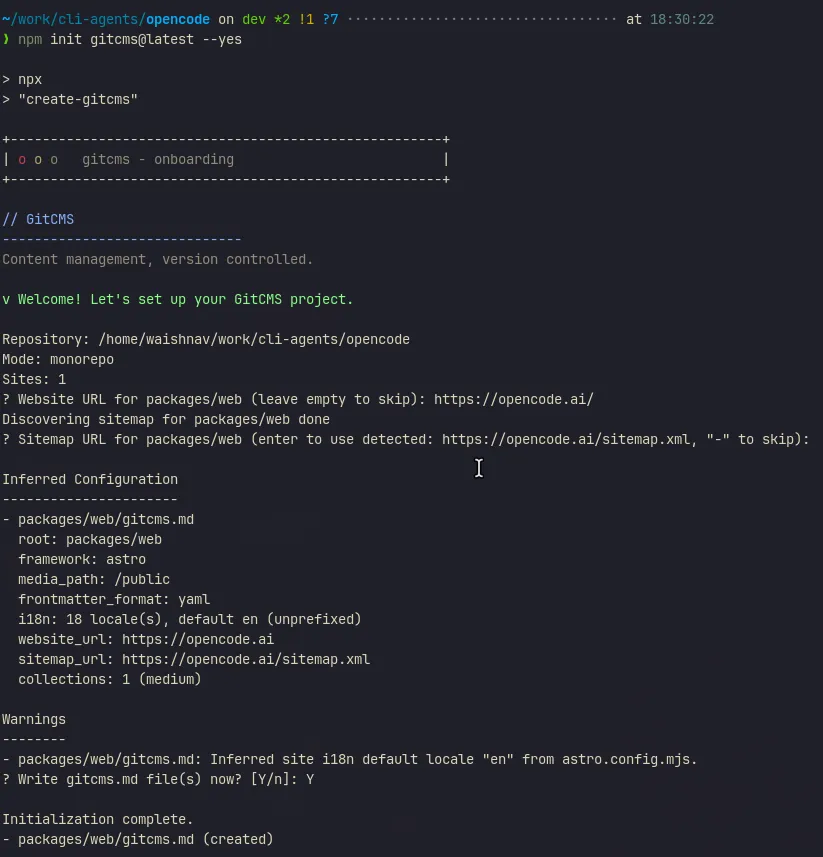
Agentic onboarding
Use this prompt with a coding agent:
You are onboarding GitCMS for repository <owner>/<repo>.

Use create-gitcms to generate `.gitcms` configuration for each real content site in this repo.
Inspect the repo first, then prefer the CLI over hand-writing config.

Preferred commands from repo root:
- Interactive: npm init gitcms@latest
- Agentic: npx create-gitcms@latest --yes [--mode ...] [--site-root ...] [--website-url ...] [--dry-run] [--force]

Flag guidance:
- Prefer auto detection first.
- Use --mode single or --mode monorepo only when the repo structure is clear and you want to lock it in.
- Use repeatable --site-root only to override or narrow monorepo site detection.
- website_url is required before writing config. In non-interactive mode, pass --website-url explicitly. One URL applies to all sites; <siteRoot>=<url> maps per site.
- Use --dry-run to verify detected output paths before writing.
- Use --force only when overwriting existing `.gitcms` config is intended.

Ask the user only if:
- `.gitcms` already exists and overwrite is not explicitly requested
- multiple site-root choices are plausible and inspection cannot resolve them safely
- website_url is unclear or cannot be inferred safely

After running the CLI, report the created or updated `.gitcms` paths and any warnings.
Safety flags
--dry-run: preview inferred config paths without writing files--force: overwrite existing.gitcmsfiles
Example:
npx create-gitcms@latest --mode monorepo --dry-runi18n notes
The CLI can detect locale-folder patterns and suggest i18n setup.
If it cannot safely infer a default locale for unprefixed layouts, it warns and leaves site-level i18n default for manual confirmation in Settings.
Output locations
- Repository manifest:
.gitcms/sites.jsonc - Per-site config:
.gitcms/sites/<site_key>/config.jsonc - Site instructions:
<site-root>/CONTENT.md
After onboarding, open GitCMS Settings to review and finalize framework, collection, and i18n details.